
SkillScoutCase study
Live product, 1:44
Type
Side project, designed and built
Role
Sole designer and builder: research, product, design system, front end
Tools
Figma, Claude Code, JavaScript, Vercel, Redis
Time frame
12 days, Oct 5 to 16, 2026

SkillScout finds the AI tools that fit how you work.

200,000+ AI tools, 1,000+ new a day, and every list ranks the popular ones. I designed and built one that reads how you work.

87%Of your gaps get a pick that answers them, up from 70%
85%Of people who ran a scan opened a pick to read it
97%Of picks for non-technical people install in one click, up from 51%
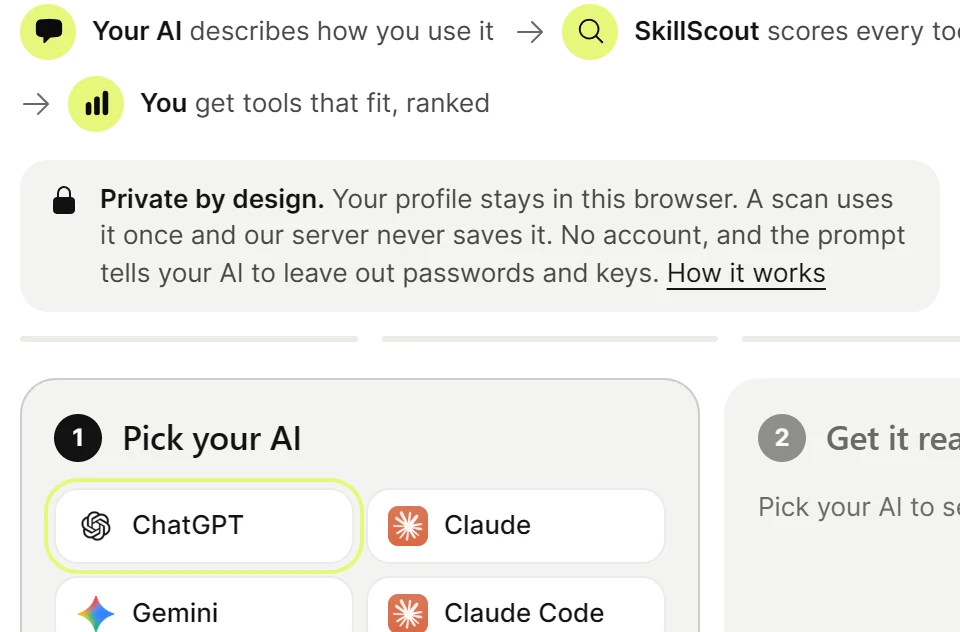
// 01Your AI writes your profileCopy one prompt into your own AI. Paste its answer back. No account.
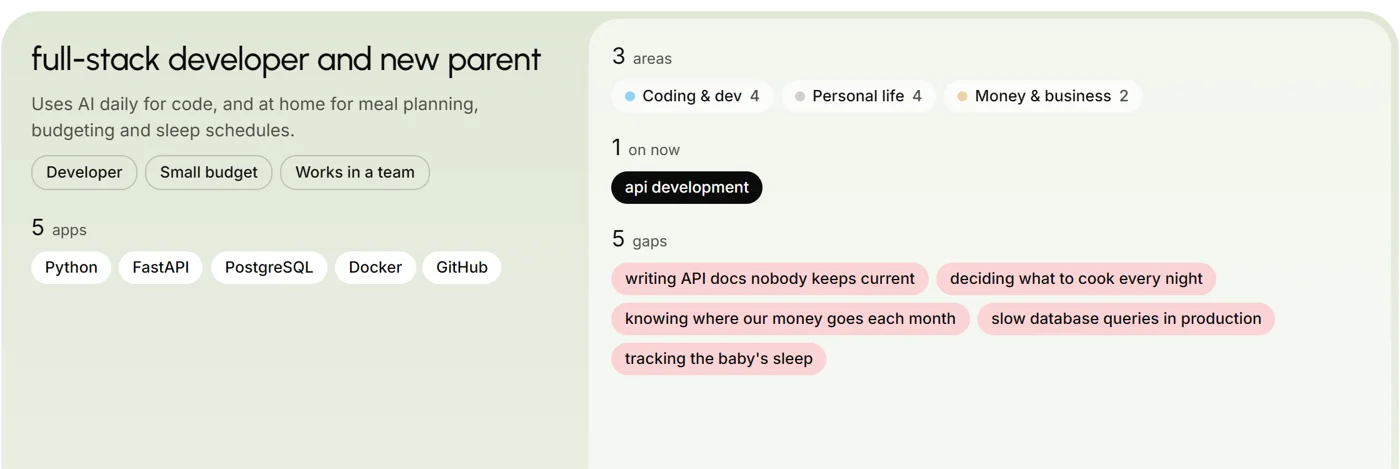
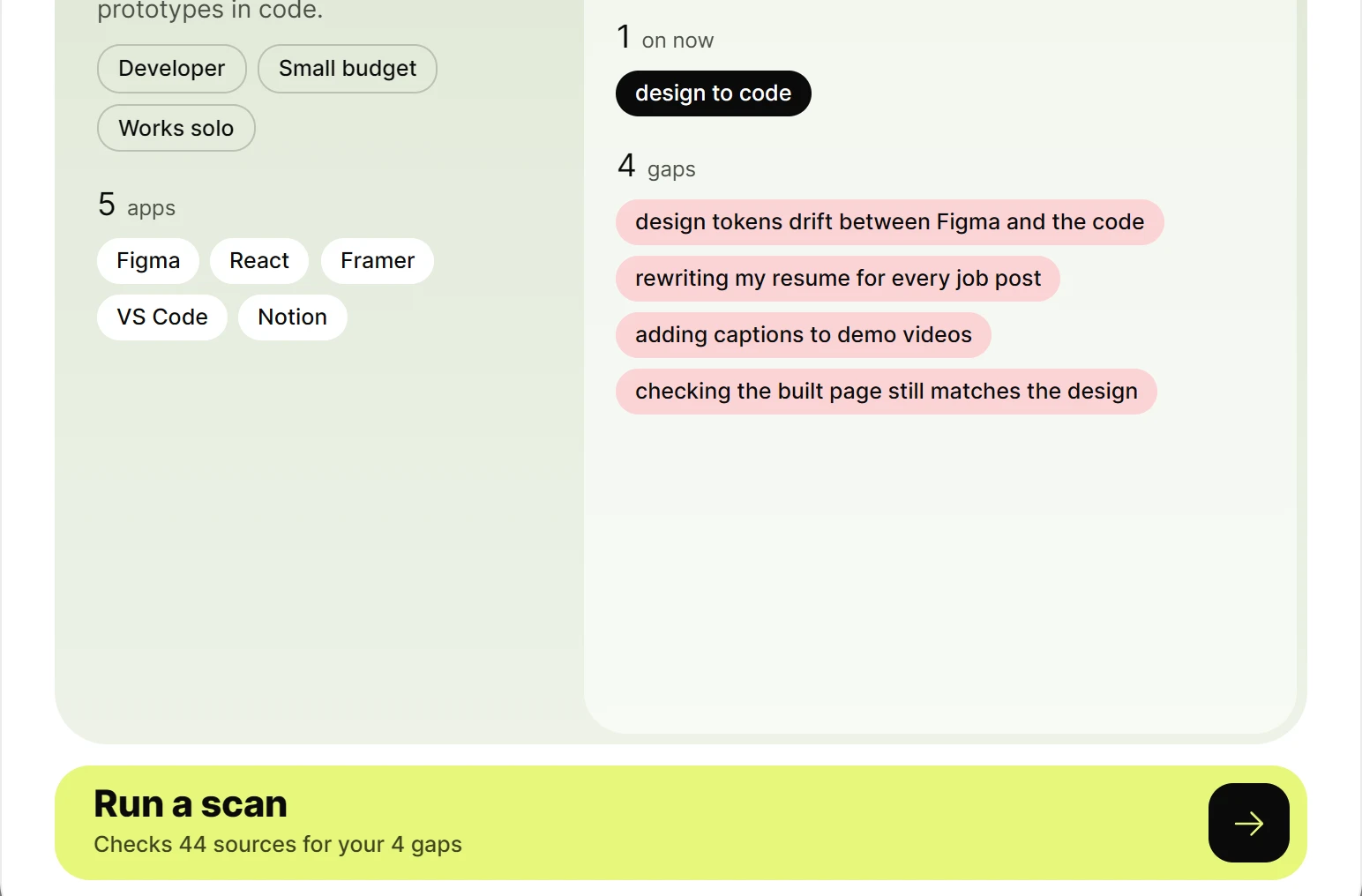
The profile your AI wrote: role, apps, areas and five gapsWho you are, in your AI's wordsThe gaps it found
// 02It scans public sourcesEvery tool is scored against your gaps, not its stars. Nothing is saved.
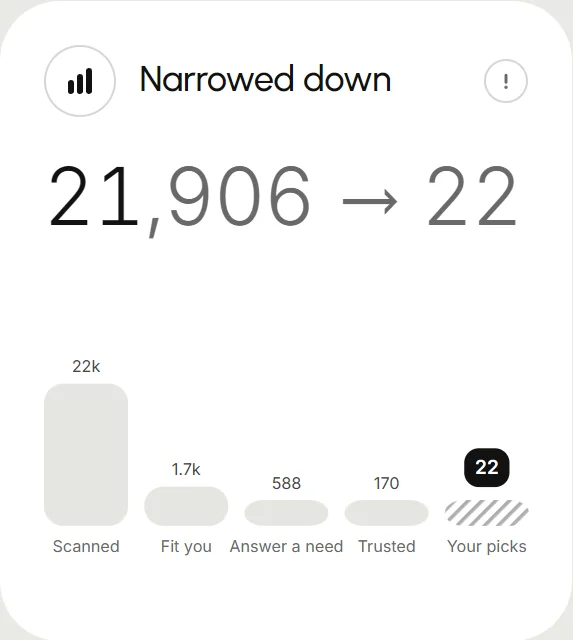
Narrowed down: every scanned tool filtered to 22 picksEvery tool scanned, down to 22Filtered by fit, need and trust
// 03You get the few that fitPicks grouped by need. Each says why it fits, why to trust it, how to install.
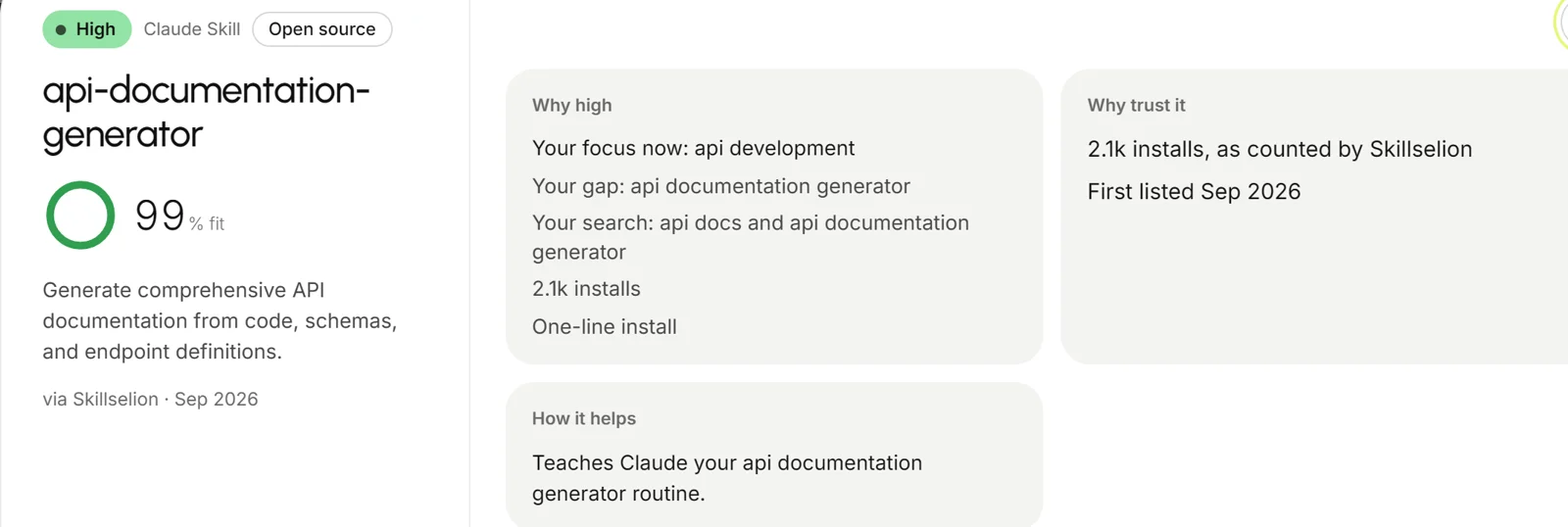
One pick: why it fits, why to trust it, how it helpsWhy it fits youWhy to trust it
01 · Where things stood

Too many tools, and nobody picks the few that fit you.

People who use ChatGPT or Claude every day keep hearing about skills, plugins and MCP servers. Most can't tell which ones fit their work, and every list ranks the popular ones. I hit it first, then my usability testers hit it in ways I hadn't planned for.

"I see 50 tools to select from, and I wanna throw away my laptop."
Me, testing my own build
"It recommends me way too many design-to-code tools and I don't know their differences. I don't have the patience to go through each."
Tester, on the first picks
"What if my gap is in a different area which is not in my [Claude] history? … maybe I want to start looking at app development."
Tester, first session
200,000+1,000+ new every day
111,810Agent skills
54,141AI tools listed
40,662MCP servers
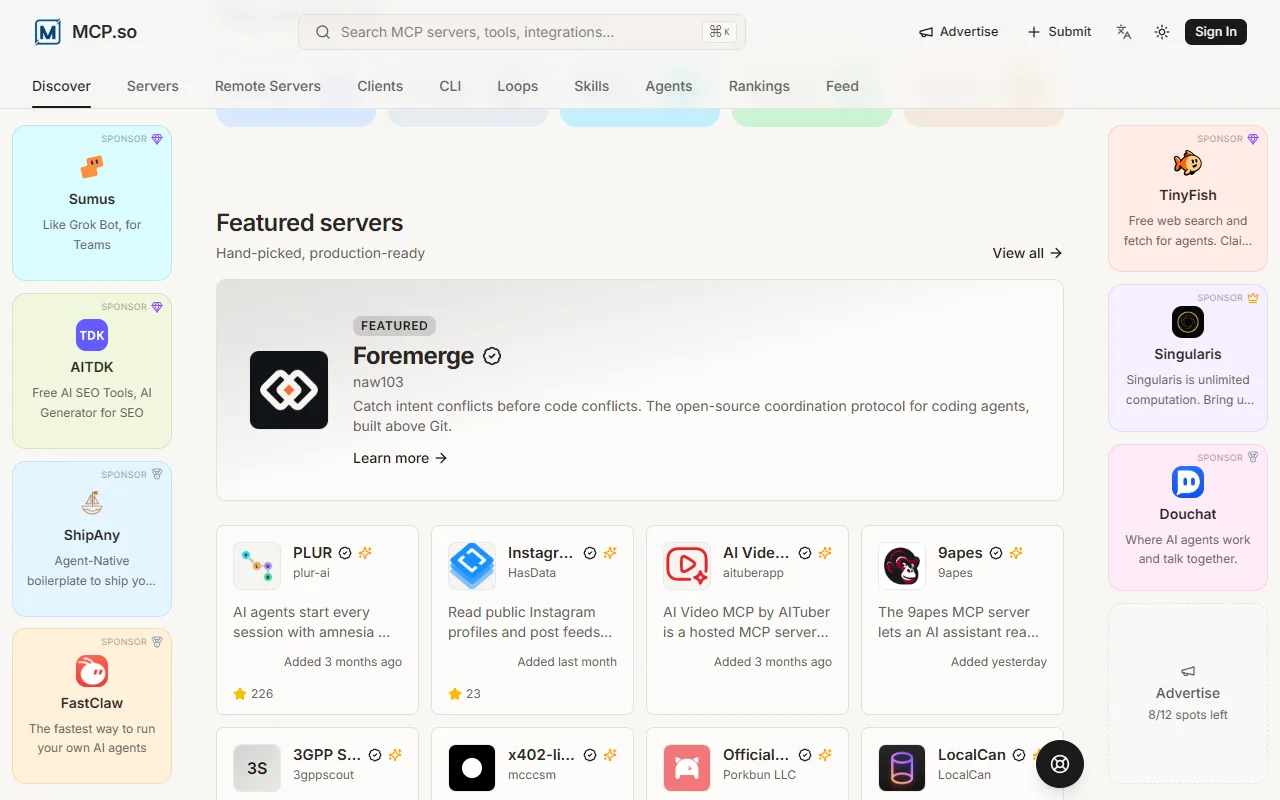
A popular MCP directory: sponsored slots, a featured server, a wall of server cards
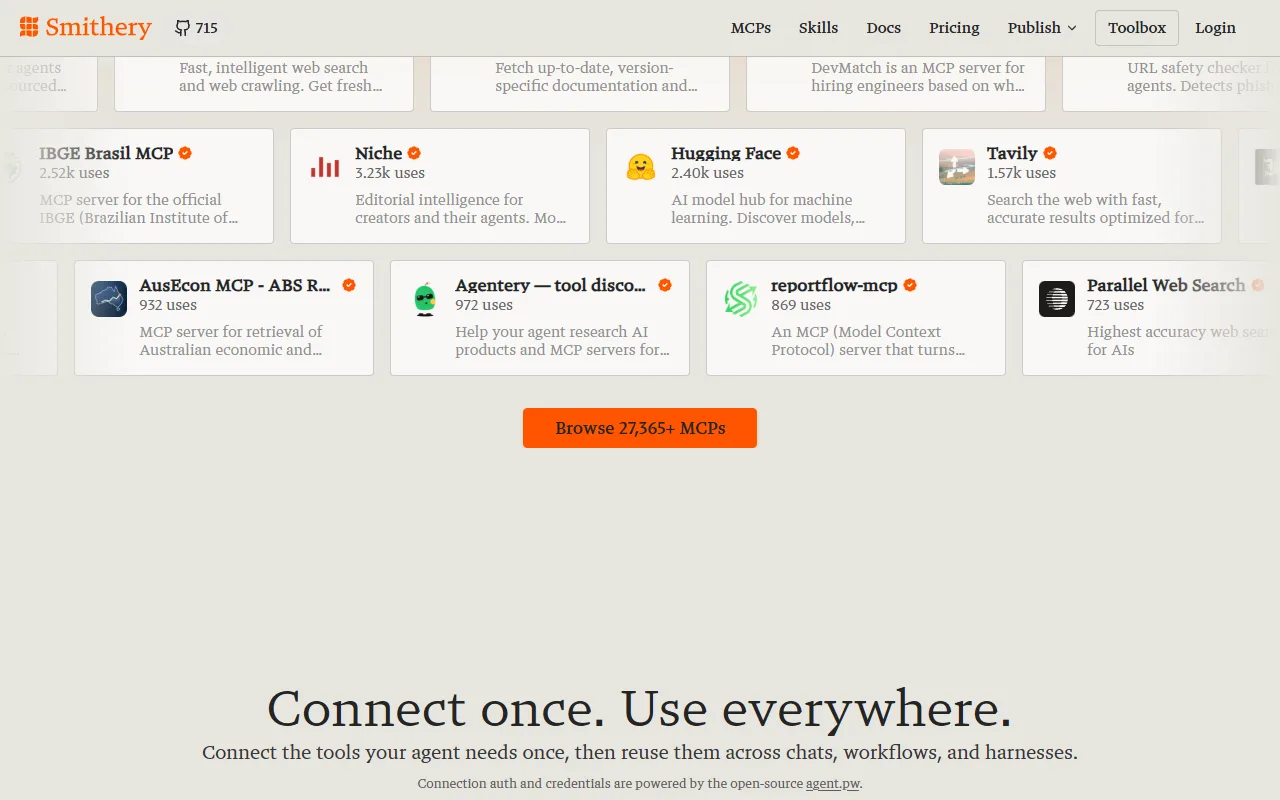
Another MCP marketplace: a grid of servers sorted by uses, Browse 27,365+ MCPs
Two popular directories. Sponsored slots, featured picks, thousands of servers sorted by use. Nothing about how you work.
02 · Principles

Three rules I held to.

  1. Fit over popularityRank by how well a tool fills your gaps, not by its stars.
  2. Earn trust before the pasteNo account, nothing stored, privacy said where the worry happens.
  3. Explain every pickEach card says why it fits, why to trust it, how to install.

How it picks the few

  1. Rule 1Fit firstScored against your gaps. Popularity can move a score by a quarter, never more.
  2. Rule 2A floor of trustUnder 50 stars or 10 installs, it isn't shown. Official sources vouch for their own.
  3. Rule 3Your stack, not theirsTools built for someone else's setup sink.
  4. Rule 4No dead endsUp to 12 picks per need. Archived or dead links are dropped before you see them.

How a SkillScout scan works

  • 12 days
  • Solo
  • Free tier only
  • 60 s per source
  • No outside AI model
Nitin Sauran | AI-Forward Product Designer Architecture of SkillScout: the visitor's own AI writes a profile, the browser posts it to one Vercel function where the scanner gathers tools from public sources and daily registry copies, the scorer ranks them by fit, and the results stream back; Redis keeps rate limits, caches and tool vectors. VERCEL FUNCTION PROMPT PROFILE POST RESULTS READ FETCH DAILY ACTION TOOLS RANKED RATE LIMIT VECTORS EXTYour AIchatgpt, claude, gemini YOUBrowserprofile stays here APIScan API/api/scan · 5/hr JSONRegistry copiesdata/*.json FNScannerfetch + normalise RANKScorerrules + bge-small KVRedislimits · cache · vectors WEBPublic sourcesnpm, github, mcp and more LEGEND Ranks the picks Server code Store Outside service You HTTP request Primary path Return / scheduled

Swipe the diagram sideways.

Your own AI writes a profile of how you work. It stays in your browser.

  1. Your own AI writes a profile of how you work. It stays in your browser.
  2. One request to the scan API. Redis checks the rate limit first.
  3. The scanner reads every public source at once, plus registry copies refreshed daily.
  4. Every tool is scored against your gaps: rules plus a small embedding model. No outside AI.
  5. Ranked picks stream back as each source answers. The profile is never stored.
03 · The build

45 explored in 4 days, 3 shipped.

Every option was explored between Oct 5 and Oct 8. The dashboard took eight versions; each one fixed what the last one got wrong, mostly how picks were ranked and grouped.

Dashboard · 8 versions VER 1 OF 8

    Scroll to flip, or pick a version.

    Set asideExplored, then cut.

    Click any screen for full size. Old versions re-rendered from their commits.

    Four things that broke

    Each one stopped a real person: a reader of the copy, me with my own paste, and a tester, twice. Each fix was a design call.

    Show all four
    01Principle 02 · Trust

    Said "never stored". The code sends it with every scan.
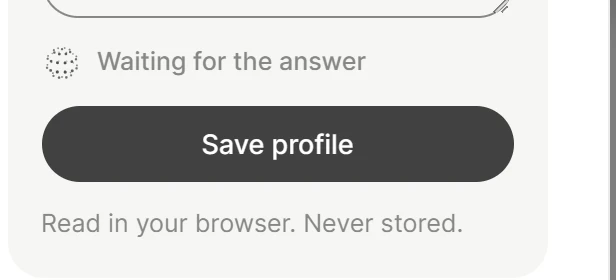
    Before: Save profile, then the line Read in your browser. Never stored.
    Fix: Private by design. Your profile stays in this browser. A scan uses it once and our server never saves it.
    • Plain words
    • Says what a scan does
    • Proof, one tap away
    02Access

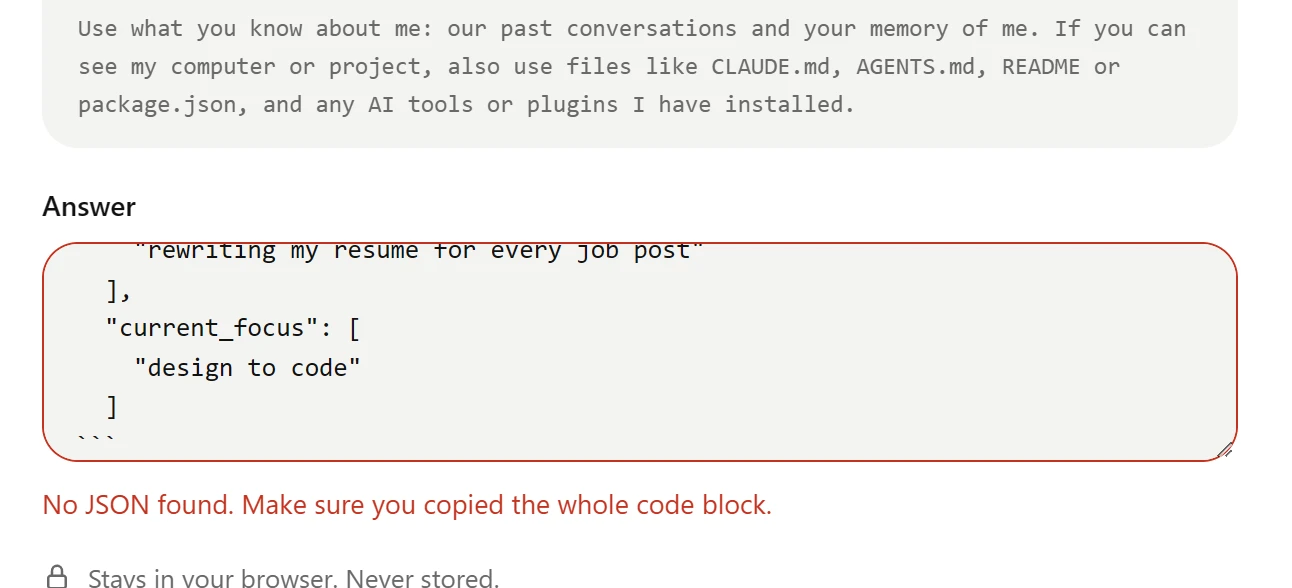
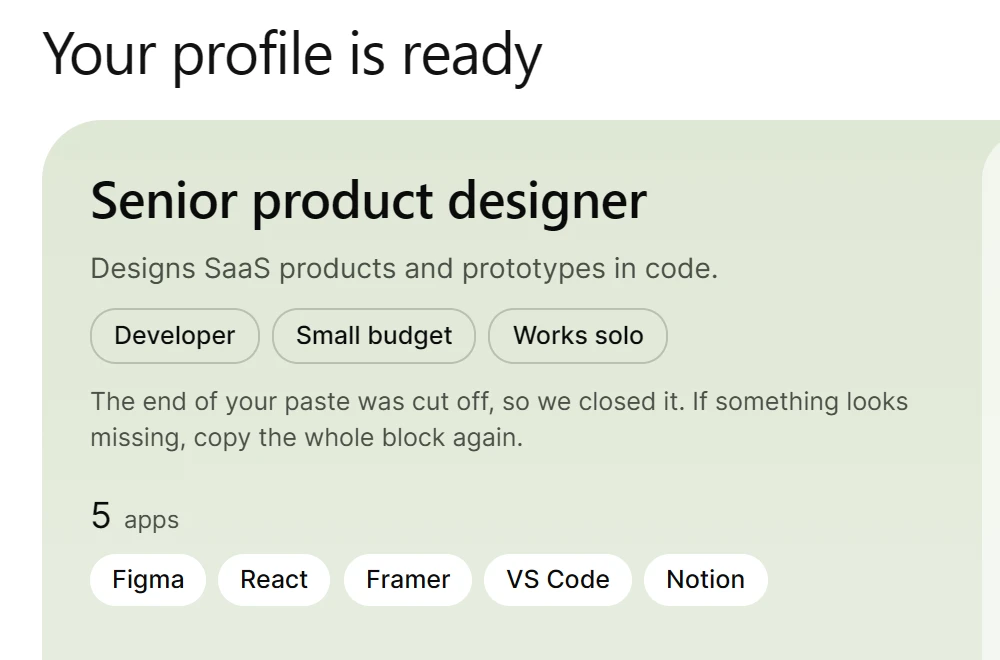
    My own paste failed. One strict box assumed you knew JSON.

    Before: a paste missing its last brace, and the error No JSON found.
    Fix: the profile is saved, with a note that the cut-off end was closed.
    • Saved anyway
    • Says what it fixed
    03Usability test

    After saving, the next step was invisible. Run scan read as decoration.

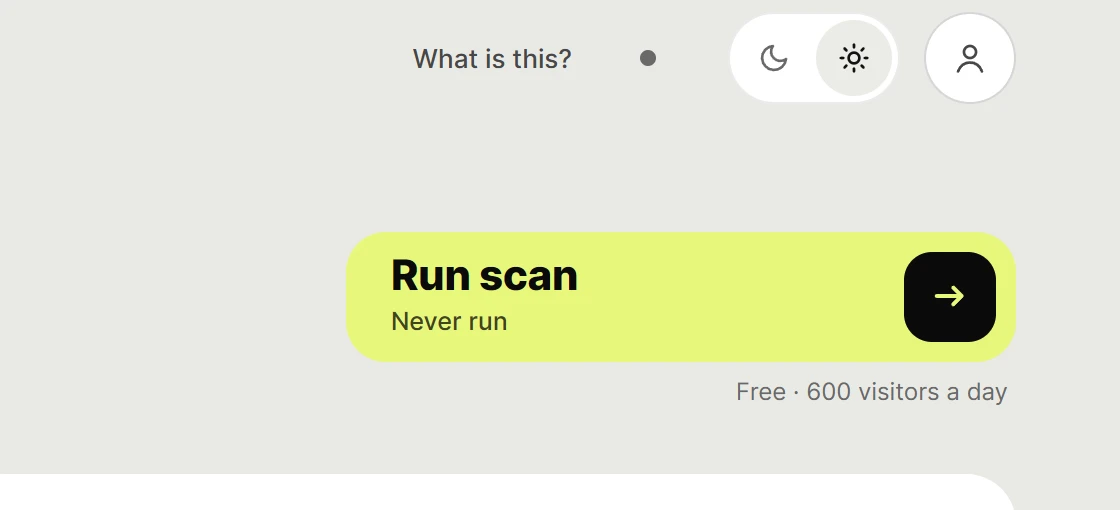
    Before: the dashboard's Run scan button, Never run.
    Fix: Your profile is ready, with one Run a scan button.
    • Your profile, shown first
    • One next step
    04Usability test

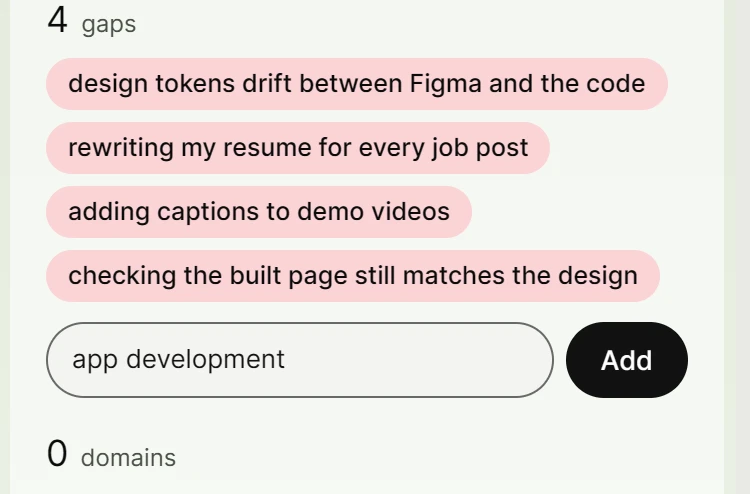
    She needed help with something her AI had never heard of, and there was no way to say so.

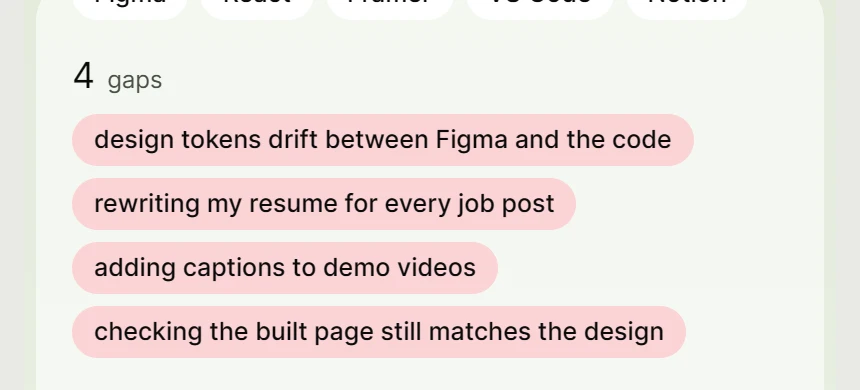
    Before: the profile card with four gaps from her AI and no way to add one.
    Fix: the same gaps, and an input with app development typed and an Add button.
    • What her AI said, kept
    • Add what it missed

    Built in 12 days

    99merged pull requests in 12 dayspeak: 52 on Oct 6Oct 5Oct 16
    45design options explored in 4 days42 set aside3 shipped
    8dashboard versions before the live oneOct 5Live, Oct 18
    4breaks found by real people, all fixedreader · me · testerall fixed
    04 · Identity

    A name, a mark, one screen at a time.

    Brand

    Round 1First mark
    AI direction A: a pie with a scanning arc
    Round 2 · A
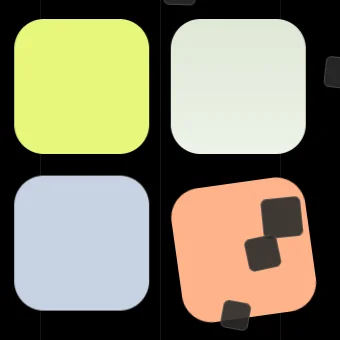
    AI direction B: four tiles, one tilted
    Round 2 · B
    AI direction C: an S from two offset blocks
    Round 2 · CBecame the mark
    AI direction D: a gauge
    Round 2 · D
    The four-square tile mark from story v2
    Round 3Story tile mark
    ShippedThe S, rebuilt in code
    Favicon: ink on light, lime on dark
    App icon
    App icon
    Palette
    Ink#0B0B0B
    Paper#E9E9E5
    Lime#E6F77A
    Mint#92E2A4
    Amber#F3C75B
    Coral#FF7B6B
    Peach#FFB38A
    Blue#C8D2E2

    Fit on every pick: High mint, Medium amber, Low grey.

    Type
    200,000+Urbanist · headlines and big numbers
    Picks by need, trust on every card.Inter · interface text
    MCP · Skill · PluginSystem mono · tags and code
    Lockups
    SkillScout
    SkillScout

    The S mark with the Urbanist wordmark, lime on ink and ink on paper.

    05 · Tradeoffs

    What I chose, and what it cost.

    Four choices, four costs

    No sign-up. Just paste.Paste what your AI wrote about you. Nothing to create, nothing to connect.CostNo sync across devices.Result100% saved a profile
    $0per scan$Rules rank the picksEvery tool is scored against your gaps. A small built-in model re-ranks the top 200.CostPicks are only as smart as the rules.Result$0 in model fees per scan
    track record + working linkNEWOnly tools you can trustEach pick needs a track record and a link that works.CostThis week's launches won't show up yet.Result97% install in one click, up from 51%
    > installAnyone can use itNo install, no code, no setup. A designer, a marketer or a developer opens the site and uses the AI they already have.CostA website and a Claude skill to keep in step.ResultWorks with ChatGPT, Claude or Gemini
    06 · Props

    The people behind it.

    What the testers said, and what I did

    Live: Your profile is ready, with one Run a scan button.
    Changed
    "Is it scanning after I've just created the profile or do I need to do something?"
    Tester

    The scan now starts from the profile popup. One clear next step.
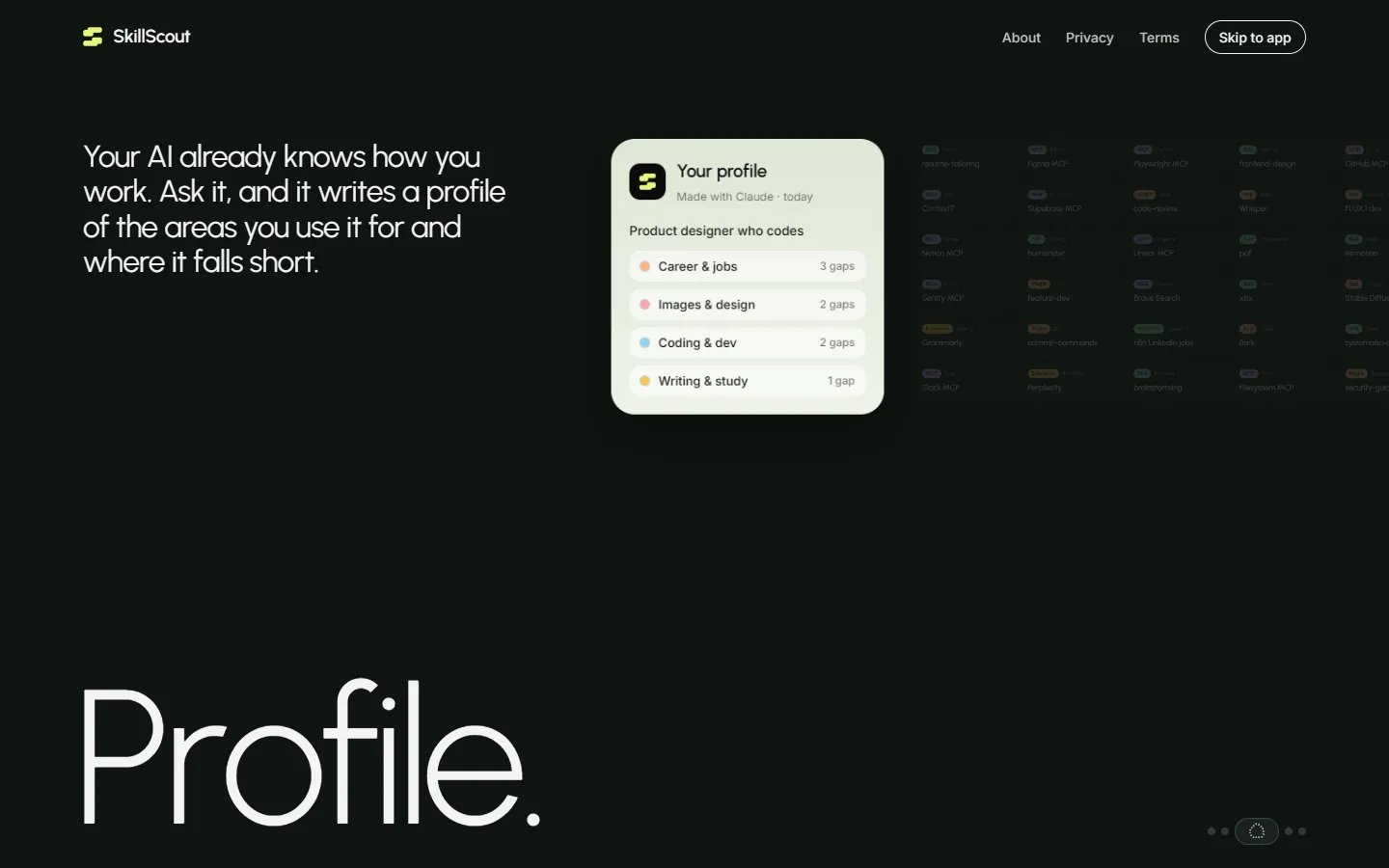
    Live home, story page 3
    Kept
    "It doesn't look like any other vibe-coded product."
    Tester, second session

    The look, and the story that leads into the app.

    One pick: why it fits, why to trust it
    Changed
    "I don't see a clear connection between the suggested apps/tools and the listed gaps."
    Tester

    Picks are grouped under the gap they answer, and each says why it fits.

    The profile your AI wrote: role, apps, areas and gaps
    Kept
    "Profile step is super helpful and helps me reflect."
    Tester

    Your own AI writes the profile.

    Feedback from testers in three recorded sessions and written notes.

    07 · What I learned

    What I'd take into the next version.

    1. The ranking is the product.

      Every design decision sits on top of the scoring and the sources. Each scan pulls about 22,000 tools from many sources, and each source breaks in its own way. My own eval still gives the designer profile the weakest picks.

      NextDeeper source connections, smarter scoring, and a cold scan well under 26.7 seconds.

    2. Testers find what I can't.

      I designed for myself first. Two of the four breaks came from one tester's sessions, and the overload problem from another's notes.

      NextFive designers testing it, recorded, before the next big change.

    3. Distribution is the hard part.

      Building took 12 days. Getting people to it is harder, especially as a product designer. My launch post sent nobody to the site in its first day, and Google showed it 0 times in 28 days.

      NextOne channel at a time, measured, starting where people already ask which AI tools to use.